Blueprints and C++
Blueprint Deprecation
One key announcement from the State of Unreal 2026 was that Blueprints will eventually be deprecated in Unreal Engine 6.X.
However, Blueprints will still be supported in early versions of Unreal Engine 6.
This means the last version featuring Blueprints and the AActor model will become the last usable version (pretty much like a Long-Term Support or LTS version) for Blueprint-only developers or Blueprint-heavy projects.
Thus, my prediction is that the last Blueprint-compatible release will probably be around 2029-2030, based on Epic’s roadmap targeting Unreal Engine 6 Early Access for late 2027 (or early 2028) and the full 6.0 launch 12 to 18 months later.
In other words, the BP-compatible version will remain relevant for several years, basically the entire 10th generation of consoles and relevant PC hardware.
The Blueprint Creation Context
Although I understand those who got used to it, to me, it makes perfect sense to remove Blueprints in the next generation of Unreal Engine.
Historically, back in the UDK/Unreal Engine 3 era, the engine had both UnrealScript for gameplay logic and Kismet for level-only visual scripting. Since I never used UDK or UE3, I can’t speak from experience, but the distinction was clear.
When Unreal Engine 4 was released in March 2014, it replaced Kismet and UnrealScript with the Blueprint visual language for high-level scripting,
while also offering Unreal C++ for programming low-level systems and base classes.
Interestingly enough, the Level Blueprint that has existed since UE4 is actually the true legacy inherited from Kismet.
Beyond providing access to C++, Unreal Engine 4 also became a unified engine available for everyone, removing the separation between UDK for indie devs and UE3 for professionals.
However, the Blueprint language was justified because Unreal C++ was far more complicated and difficult to learn and use in UE 4.0 than it is today, with UE 5.8.
It’s still significantly lower-level and more complex than Unity C# (but more about that later 😉).
But to understand more about Blueprints, and why they should be deprecated, let’s talk a bit about the engine’s architecture 😋.
Unreal Architecture: BP & C++
Unreal Engine is built around a hybrid architecture where Blueprints and C++ are deeply intertwined and designed to work together.
While Blueprint-only games do exist (far more than pure C++ projects 😅), they are relatively rare, as Unreal isn’t designed to be used without C++ for complex or long-term projects.
Essentially, C++ is used for programming low-level logic and core systems, while Blueprints are designed for high-level scripting, prototyping or visual stuff (animation, materials, etc.).
From a gameplay programming standpoint, the idea is simple: Unreal C++ is for programming base classes and heavy functions, while Blueprints are for scripting derived classes and handling small variations.
Thus, the Unreal C++ base class can expose relevant member variables (properties) and member functions (methods) to derived Blueprint classes.
In other words, it’s pretty much like creating a basic template in C++ and tweaking it with many properties to create multiple variations, without even modifying the C++ code (unless you need to adapt the base class).
For example, a base Monster C++ class can define fairly generic properties and methods, while derived Blueprint classes represent specific in-game monsters such as Goblin, Troll, or Orc.
Then, we can either modify some property values (health, strength or mana/magic) or override some functions, so each monster will attack in a different way.
From a technical standpoint, Unreal relies on core object-oriented principles:
Encapsulation: we can encapsulate some properties or methods that Blueprints don’t need to change with the private access modifier and without using Unreal reflection (only if it’s just for some math operations and not gameplay, of course).
Polymorphism: We can write inside the C++ base class a BlueprintImplementableEvent or a BlueprintNativeEvent function so each monster Blueprint will implement it differently.
Blueprint VM
Under the hood, Blueprints are much slower for the machine to execute,
as they run through a Virtual Machine, but much faster to write for us, developers (hence why it’s for prototyping 😎).
The reason is simple: while C++ compiles into native machine instructions for a specific CPU (x86, PS5, Xbox Series, etc.), Blueprints compile into intermediate bytecode.
At runtime, the Blueprint Virtual Machine executes this bytecode step by step, pretty much like the Python interpreter or the Java Virtual Machine.
Because of that, this VM operation (per node) is negligible for some small events (like updating once a variable or a Box Collision event),
but it starts to be noticeable for intensive math operations, ticks or recurring events.
There were some attempts to address that performance gap by Epic by converting all Blueprint bytecode directly into native C++ during Unreal 4, called Blueprint nativization,
but it was removed for Unreal 5.
Comparison to Unity
The Blueprint and C++ architecture in Unreal is very different than Unity, where developers rely on C# for everything (outside of a few things like shaders in HLSL, etc.).
First, there is no visual scripting “equivalent” in Unity.
The Unity Visual Scripting, formerly Bolt, is an alternative that replaces C# and comes with limitations, while Blueprints in Unreal were designed from the get-go.
Thus, beginners often mistakenly compare Unreal C++ to Unity C#.
In fact, from a gameplay programming perspective, C# is much closer to Blueprints, aside from the visual/textual difference.
Unreal C++ has no true equivalent in Unity outside of modifying the engine itself.
Collectible Class Example
Let’s take an example from my game: collectibles.
Each playable character has to find a specific category of collectibles, such as books or gamepads.
In order to implement this, I created a base AGoldaCollectible C++ class to handle all generic collectible logic.
Then, I added a derived C++ class for each playable character or collectible category, such as AGoldaCollectibleBook for the first character.
From there, every collectible book in the game is then a BP_CollectibleBook Blueprint instantiated in the world and derived from the C++ class I created.
I only have to model and texture the book asset in Blender, create a new Blueprint and tweak some exposed variables, without modifying Unreal C++ unless I want to add another method or property to the base classes, either AGoldaCollectible or AGoldaCollectibleBook.

Traffic Light Example
Another example I can share from my game is a traffic light. Since my game world is goofy and crazy, I only need a traffic light that works visually, as NPCs do not interact with it at all, not even drivers (I told you it’s a goofy world 🤡).
Thus, my AGoldaTrafficLight base C++ class logic is mostly about a visual sequence that change, without sending messages to any other AActors.
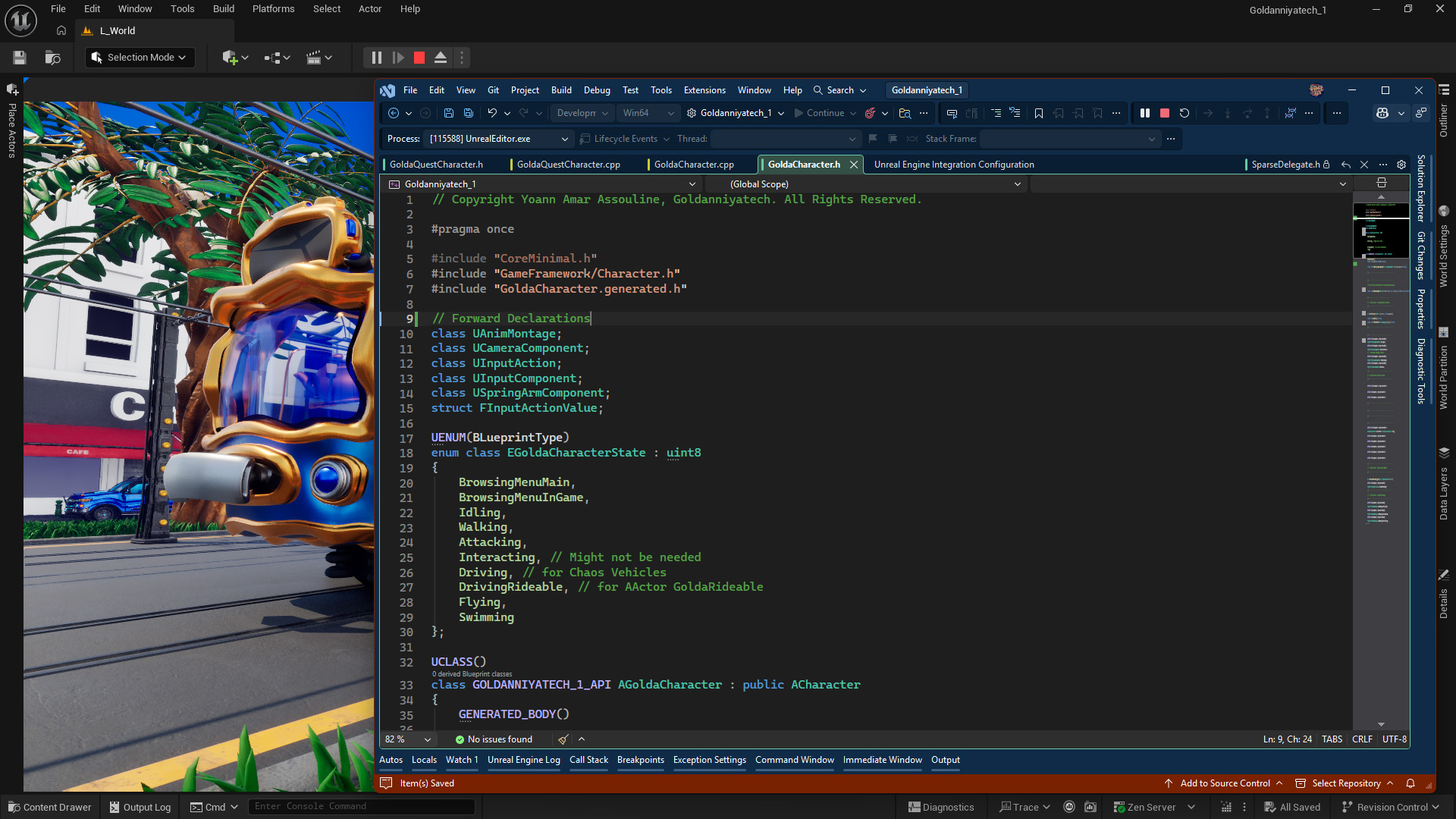
Here’s my trafficLight.h (header file) where I expose stuff. I omitted the boilerplate preprocessors like #include "CoreMinimal.h", forward declarations and the enumerator.
UCLASS()
class GOLDANNIYATECH_1_API AGoldaTrafficLight : public AActor
{
    GENERATED_BODY()
public:
    AGoldaTrafficLight();
    virtual void Tick(float DeltaTime) override;
protected:
    virtual void OnConstruction(const FTransform& Transform) override;
    virtual void BeginPlay() override;
    virtual void EndPlay(const EEndPlayReason::Type EndPlayReason) override;

    UPROPERTY(VisibleAnywhere, BlueprintReadOnly)
    TObjectPtr<UStaticMeshComponent> TrafficLightMesh;
    UPROPERTY(EditAnywhere, BlueprintReadWrite)
    TObjectPtr<UMaterialInterface> MatAllOn;
    ... // Rest of my code
};
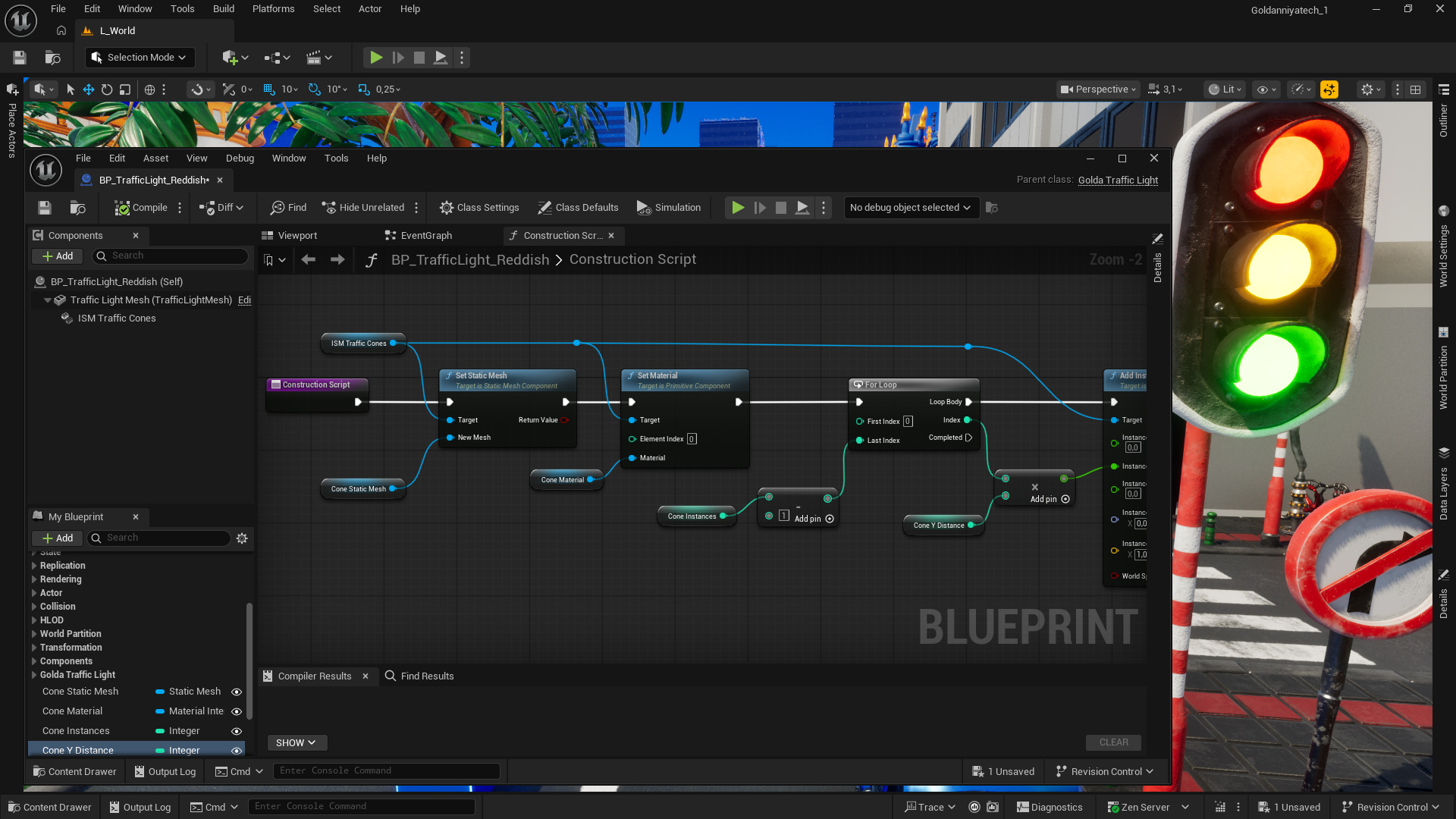
Then I make a Blueprint out of it. If I ever needed to modify properties, I can prototype new features easily.
For instance, I can use the Construction Script (the OnConstruction() method in C++) to update a new StaticMesh properties (Material and Mesh) before deciding to port the code back in C++.